Send your first chat
With a model pulled and assigned to a slot, you can chat through the prewired web UI or directly against the OpenAI-compatible API.
With OpenWebUI
Section titled “With OpenWebUI”hal0 installs and prewires OpenWebUI, which binds port 3001 and
points at the local hal0 API out of the box.
-
Make sure the OpenWebUI unit is running:
Terminal window systemctl status hal0-openwebui -
Open
http://localhost:3001(orhttp://hal0.local:3001) in your browser. -
Pick your model from the model selector and send a message.
With curl
Section titled “With curl”The API is OpenAI-compatible at http://localhost:8080/v1. Use a slot
name (e.g. agent) as the model id — hal0 rewrites the slot alias to
the slot’s configured model before dispatching, so you don’t need to know
the underlying model id.
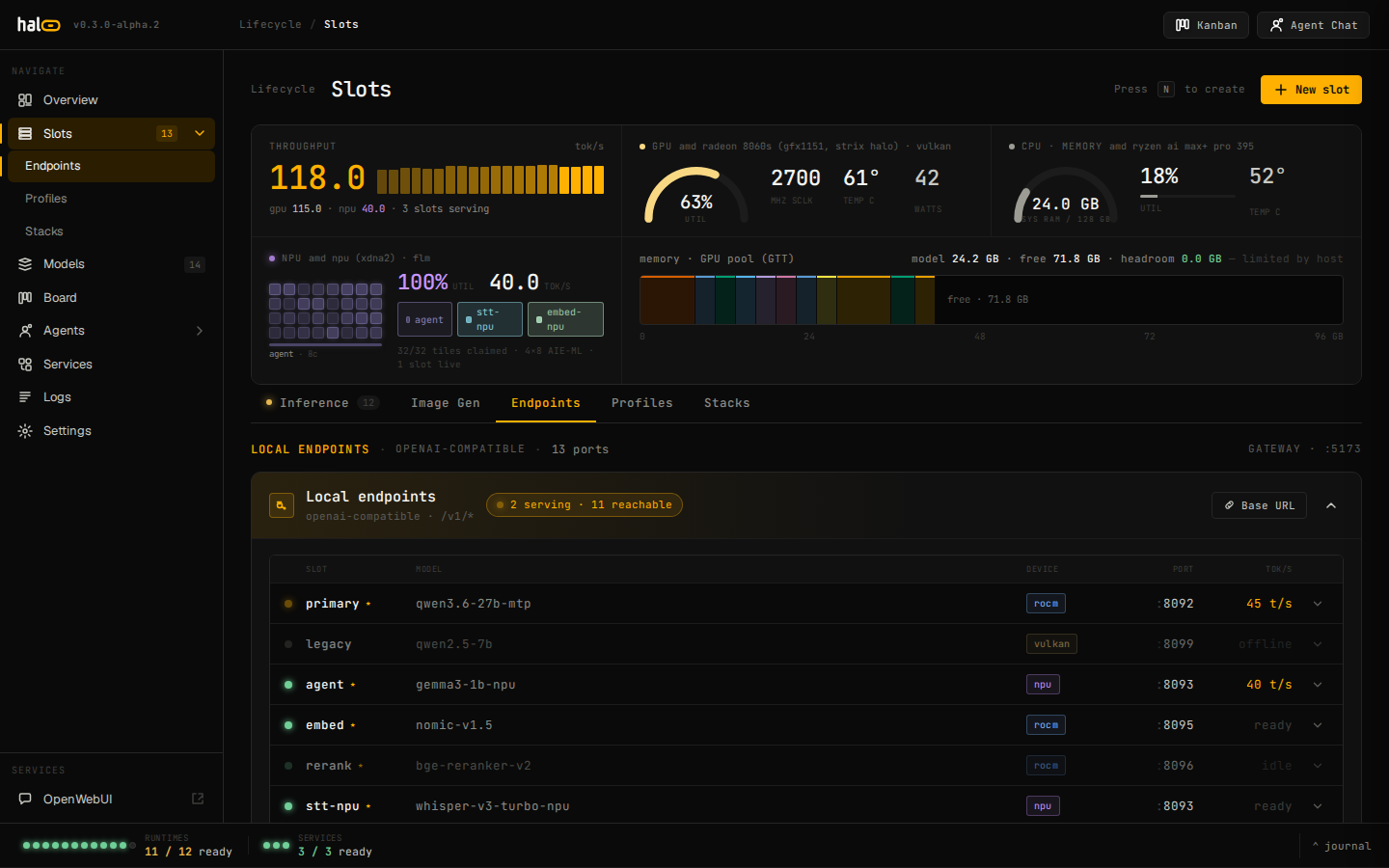
The Endpoints tab — local OpenAI-compatible slot endpoints and slot-as-model aliases.
curl http://localhost:8080/v1/chat/completions \ -H "Content-Type: application/json" \ -d '{ "model": "agent", "messages": [ {"role": "user", "content": "Say hello in one sentence."} ] }'curl http://localhost:8080/v1/chat/completions \ -H "Content-Type: application/json" \ -d '{ "model": "agent", "stream": true, "messages": [ {"role": "user", "content": "Say hello in one sentence."} ] }'The response is a Server-Sent Events stream of OpenAI-shaped chunks.
No Authorization header is required — hal0 ships with no built-in auth
and treats the local network as trusted (front it with a reverse proxy if
it is exposed). You can point any OpenAI SDK at the same base URL:
from openai import OpenAI
client = OpenAI(base_url="http://localhost:8080/v1", api_key="not-needed")resp = client.chat.completions.create(    model="agent",    messages=[{"role": "user", "content": "Hello!"}],)print(resp.choices[0].message.content)
Beyond chat
Section titled “Beyond chat”The same /v1 surface exposes embeddings, rerankings (also reachable
at rerank, for clients that expect llama-server’s / Jina/Cohere-style
native path), audio/transcriptions, audio/speech, and
images/generations — each routed to the appropriate slot. GET /v1/models lists everything the configured slots and upstreams
advertise.