Load your first model
Models in hal0 live in a local registry, the single source of truth for
Hugging Face coordinates, SHA-256 digests, and curated filenames. You can
populate it through the hal0 setup TUI or directly from the CLI.
Via hal0 setup
Section titled “Via hal0 setup”If you ran first-run setup and picked models
for the Main and/or Agent slot, hal0 already seeded the registry and kicked
off background pulls for each pick. Re-run hal0 setup any time to add more
slots, models, or extensions; when a pull completes, its slot is ready to
start. Nothing more is required.
Via the CLI
Section titled “Via the CLI”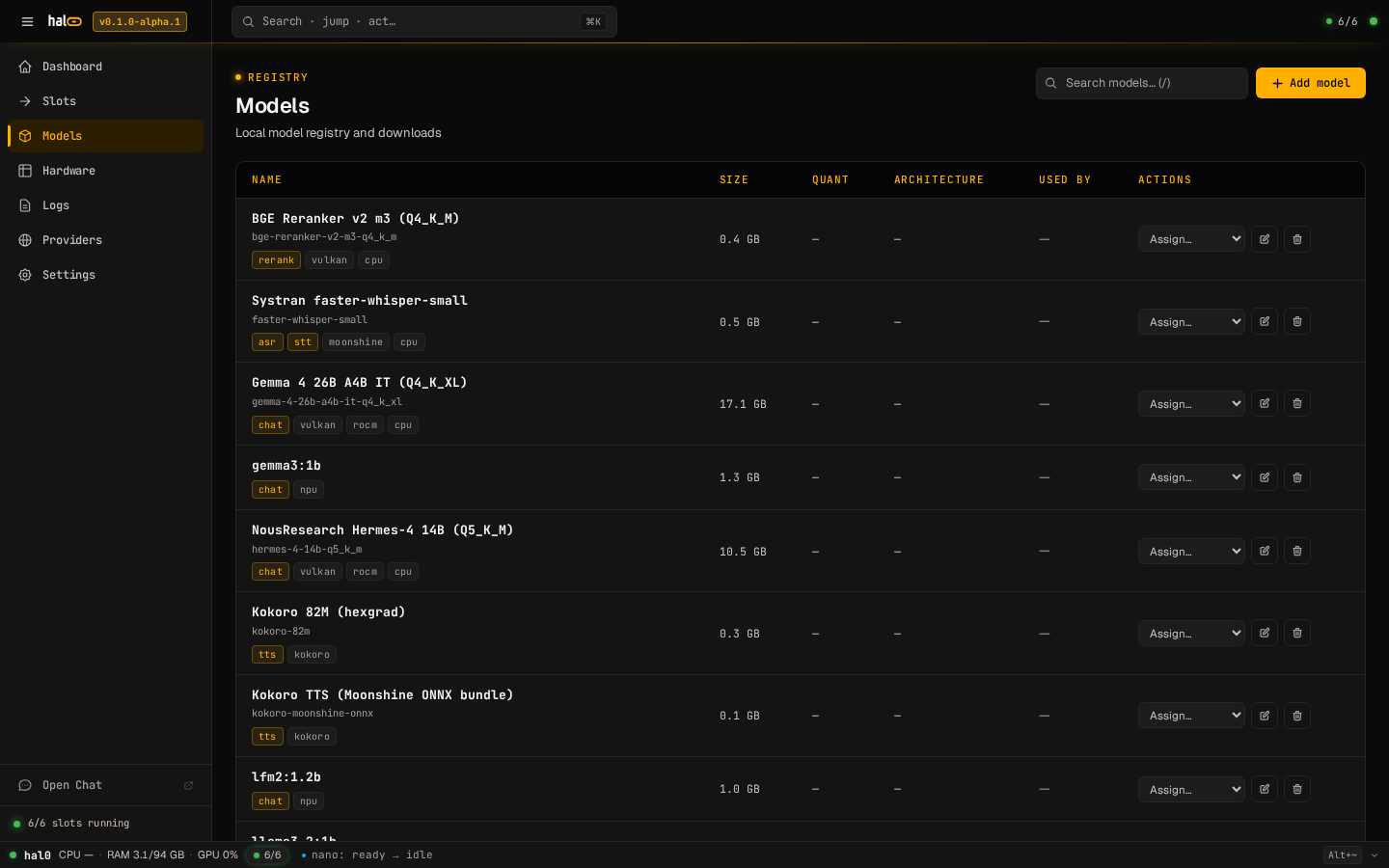
The Models view — registry, pull progress, and curated loadouts.
The hal0 model subcommand is a thin HTTP client to the API. The common
flow is list → pull → assign.
-
List what’s available — registry rows plus models advertised by configured upstreams:
Terminal window hal0 model listAdd
--jsonto emit the raw/api/modelspayload for scripting. -
Pull a model from Hugging Face. The argument is either a curated alias (e.g.
qwen3-4b) or a registered model id:Terminal window hal0 model pull qwen3-4bThe pull runs as a background job on the daemon. The CLI polls
/api/models/<id>/pull/statusevery 500 ms and prints a progress bar until the job reaches a terminal state, then reports the final path and SHA-256. If the curated pick is a vision model, itsmmprojprojector sidecar downloads automatically alongside the main GGUF — no extra step needed. -
Assign the model to a slot’s default (this does not start the slot):
Terminal window hal0 model assign qwen3-4b --slot agentThis writes
model.defaultinto the slot’s configuration.agentis the always-seeded default/anchor slot (see Slots); swap inutilityor any other slot name you’ve created instead. Start the slot afterward (see Manage slots).
Other hal0 model commands: register (record an on-disk file in the
registry), show (inspect metadata), and rm (remove a registry row).
When a pull fails
Section titled “When a pull fails”A pull job ends in one of these states: queued, running, completed,
failed, or cancelled. On failed, the CLI exits non-zero and prints
the error message returned by the daemon; the registry row stays in place
so you can retry.
# retry — an already queued/running pull for the same id is reused,# not duplicatedhal0 model pull qwen3-4bThe dashboard’s Models view surfaces the same failure inline with a
Retry button, and you can always pull later from there or via the CLI.
Re-issuing a pull for a completed/failed/cancelled
job replaces it; a pull already queued or running returns the
existing job handle rather than starting a second download.
Once a model is pulled and assigned, you’re ready to send your first chat.